What is MCP? The Model Context Protocol explained for business teams
What MCP is, who backs it, how it differs from an API, and the risks to manage. A plain guide to the Model Context Protocol for business teams in 2026.
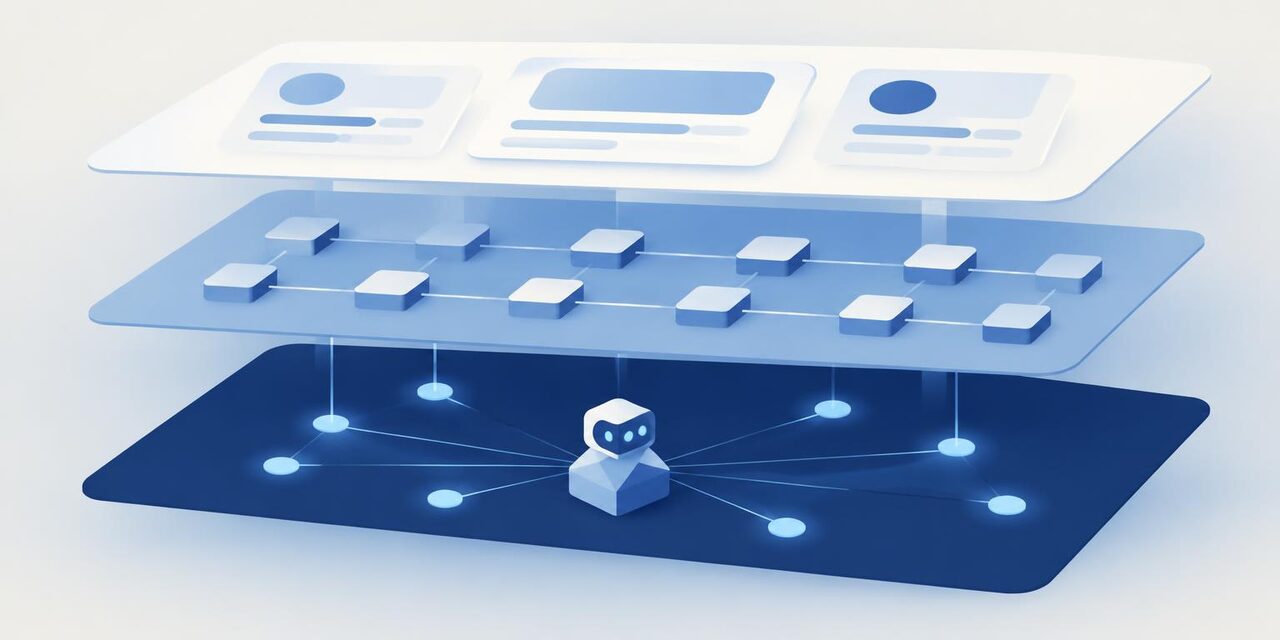
MCP, the Model Context Protocol, is an open standard that lets AI applications connect to outside tools and data in one consistent way. Anthropic released it in November 2024. A software company builds one MCP server, and any AI client that speaks MCP, such as Claude, ChatGPT or Microsoft Copilot Studio, can discover what the tool can do and use it. For business teams, MCP is the reason an AI assistant can now read your CRM or update a project board without a custom integration for every pair of products.
Key takeaways
- MCP is an open standard, first released by Anthropic and donated in December 2025 to the Agentic AI Foundation under the Linux Foundation.
- An MCP server exposes three things: tools (actions), resources (data to read) and prompts (reusable templates).
- A website is the interface for people, an API is the interface for developers, and MCP is the interface for AI agents.
- MCP usually sits on top of an existing API. It does not replace it.
- The main risks are prompt injection, over-broad permissions, untrusted servers and unreviewed write actions. All of them can be managed.
Who created MCP, and who uses it now?
Anthropic announced MCP on 25 November 2024 as "a new standard for connecting AI assistants to the systems where data lives, including content repositories, business tools, and development environments." The launch included the specification and SDKs, local MCP server support in the Claude desktop apps, and an open source repository of servers.
On 9 December 2025, Anthropic donated MCP to the Agentic AI Foundation, which it describes as "a directed fund under the Linux Foundation, co-founded by Anthropic, Block and OpenAI, with support from Google, Microsoft, Amazon Web Services (AWS), Cloudflare, and Bloomberg." In the same post, Anthropic said there were more than 10,000 active public MCP servers and that MCP "has been adopted by ChatGPT, Cursor, Gemini, Microsoft Copilot, Visual Studio Code, and other popular AI products."
The big vendors document it themselves:
- OpenAI lets developers "give models new capabilities using remote MCP servers" in its API, and the OpenAI Agents SDK has its own MCP support.
- Microsoft says Copilot Studio agents can connect to MCP servers and currently supports MCP tools and resources.
- Google documents MCP tools in its Agent Development Kit (ADK).
- Anthropic runs a Claude connectors directory of MCP-powered integrations.
How does MCP work?
The MCP documentation describes three roles:
- Host: the AI application the person uses, such as Claude Desktop or an agent your team built.
- Client: a connection the host creates for each server. One host can hold many clients.
- Server: a program that exposes a product's capabilities, for example a CRM's MCP server.
A server offers three building blocks:
- Tools: functions the model can call to take an action, such as "search contacts" or "create a deal". The model decides when to use them.
- Resources: data the application can read for context, such as a file or a record.
- Prompts: reusable templates for common tasks, which the user picks.
Servers come in two kinds. Local servers run on your own machine and usually serve one client. Remote servers run on the vendor's infrastructure over the internet, typically serve many clients, and are what most business tools now offer, often with a standard sign-in through OAuth.
Why is MCP called the interface for agents?
Every product has had interfaces for two audiences. A website or app is the interface for people: buttons, forms and screens. An API is the interface for developers: documented endpoints that another program calls. MCP adds an interface for a third audience, AI agents.
Here is a concrete example. A sales manager wants a list of deals that have not moved in 30 days, with a follow-up task on each.
- Through the website, she filters the pipeline, opens each deal and adds a task by hand.
- Through the API, a developer writes a script that queries deals, applies the rule and creates tasks. Someone has to maintain that script.
- Through MCP, she asks her AI assistant. The assistant asks the CRM's MCP server which tools exist, sees one for searching deals and one for creating tasks, reads the descriptions, calls them, and shows her the plan before it writes anything.
The data and the business rules are the same in all three. What changes is who is doing the work and how they find out what is possible.
MCP vs API: what is the difference?
| API | MCP server | |
|---|---|---|
| Built for | Developers writing code | AI agents and the apps that host them |
| Discovery | A developer reads the docs | The agent asks the server which tools exist at run time |
| How actions are described | Endpoints, parameters and reference docs | Tools with a name, a plain-language description and an input schema |
| Authentication | API keys or OAuth, set up per integration | Usually OAuth through the AI client, scoped to the signed-in user |
| Who writes the integration | Your developers, for each pair of systems | The vendor, once, for every MCP client |
| Maintenance | Your code breaks when the API changes | The vendor updates the server; clients see changed tools automatically |
The key point: MCP usually sits on top of an API. HubSpot's documentation says its remote MCP server "acts as a bridge between AI systems and HubSpot's APIs." The API still does the work. MCP describes it in a way an agent can discover and use, so you need both.
What are the benefits of MCP for business teams?
- One integration, many AI clients. A vendor that ships an MCP server works in Claude, ChatGPT, Copilot Studio and agent frameworks without separate plugins for each.
- Agents discover what a tool can do. Tool lists and descriptions come from the server, so an agent can see new capabilities without new code.
- Less custom glue code. Your team stops maintaining one-off scripts that connect an assistant to each system.
- Permissions through OAuth. Remote servers typically sign in as the user, so the agent sees only what that person is allowed to see.
To see which tools already have one, use the Has MCP server filter in our directory. Examples with official servers include HubSpot, Notion, Linear, Airtable, Sentry and Stripe.
What are the risks and downsides?
- Prompt injection through tool output. Text that comes back from a tool, such as an email or a web page, can contain instructions aimed at the model. The MCP specification says clients must treat tool annotations as untrusted unless they come from trusted servers.
- Over-broad permissions. The MCP security guidance warns that broad scopes granted up front increase the damage if a token leaks, and recommends minimal scopes.
- Untrusted community servers. Anyone can publish an MCP server. A local server runs code on your machine, and a remote one sees your data.
- Write actions without review. An agent that can create, update or send can make a mistake at scale.
- Uneven server quality. Some servers expose a handful of well-described tools; others expose dozens with vague descriptions that agents misuse.
- Cost and context usage. Every tool description an agent loads uses part of the model's context window, which costs money and can reduce answer quality.
- A moving specification. MCP publishes dated versions and is still adding features, so clients and servers do not always support the same things.
What guardrails should you set?
- Prefer official servers. Use the vendor's own server, listed in its docs or in the Claude or ChatGPT directories. Treat community servers like any other third-party software.
- Start read-only. Connect for search and reporting first. Add write tools once you trust the setup.
- Keep a human in the loop. The MCP tools specification says "there SHOULD always be a human in the loop with the ability to deny tool invocations." Turn on approval prompts for anything that writes, sends or deletes.
- Scope permissions narrowly. Grant only the scopes the task needs, and use a service account where the vendor supports it.
- Log every action. Make sure tool calls are recorded in the AI client or the vendor's audit log.
- Load only the servers you need. Fewer tools means lower cost and fewer wrong choices.
- Add MCP to your vendor review. Our AI vendor checklist now asks whether a tool has an MCP server and what it can do, and your AI usage policy should say which connectors are approved.
For a look at why vendors are shipping servers so quickly, read why software companies are racing to ship MCP servers. If you are choosing an assistant to connect them to, see our comparison of ChatGPT, Claude and Gemini for business.
Bottom line
MCP is the standard way for AI agents to use business software, now backed by Anthropic, OpenAI, Google, Microsoft and the Linux Foundation. It does not replace APIs; it puts an agent-friendly layer on top of them. Treat each MCP server like a new integration: start with official servers and read-only access, keep a person approving changes, and grant the narrowest permissions that do the job.
Frequently asked questions
What is MCP in simple terms?+
MCP, the Model Context Protocol, is an open standard that lets AI applications connect to outside tools and data in one consistent way. A software company builds one MCP server, and any AI client that speaks MCP can discover and use what that server offers.
Who created MCP?+
Anthropic released MCP as an open source standard on 25 November 2024. In December 2025 Anthropic donated it to the Agentic AI Foundation, a directed fund under the Linux Foundation co-founded by Anthropic, Block and OpenAI.
Does MCP replace APIs?+
No. An MCP server usually sits on top of an existing API. HubSpot, for example, says its MCP server acts as a bridge between AI systems and HubSpot's APIs. The API still does the work; MCP describes it in a way agents can discover and call.
Is MCP safe to use at work?+
It can be, with guardrails. The MCP specification says there should always be a human in the loop who can deny tool calls. Start with official servers, read-only access and narrow permissions, and require approval before any action that writes or sends.
Which AI tools support MCP?+
Anthropic lists ChatGPT, Cursor, Gemini, Microsoft Copilot and Visual Studio Code among the products that have adopted MCP. Claude supports it through connectors, OpenAI supports remote MCP servers in its API, and Microsoft Copilot Studio supports MCP tools and resources.
Sources, checked 8 Oct 2026
- Introducing the Model Context Protocol (Anthropic, 25 Nov 2024)
- Donating the Model Context Protocol and establishing the Agentic AI Foundation (Anthropic, 9 Dec 2025)
- MCP architecture overview (modelcontextprotocol.io)
- Understanding MCP servers (modelcontextprotocol.io)
- MCP specification: Tools
- MCP specification: Security best practices
- MCP servers (OpenAI API docs)
- Model context protocol (OpenAI Agents SDK)
- Extend your agent with Model Context Protocol (Microsoft Copilot Studio)
- Model Context Protocol tools (Google Agent Development Kit)
- Integrate AI tools with the HubSpot MCP server (HubSpot docs)
- Claude connectors directory